A CCTV camera is only one part of a dependable security system. The right Cctv Camera Accessories help cameras stay powered, protected, connected, and correctly positioned. A mounting bracket can reduce vibration on a wall; a weather-rated junction box can shield cable connections from rain. Power supplies, network cables, storage devices, and surge protection also affect how reliably a system operates. Small details matter.
This guide outlines the accessories commonly needed for different installations and explains what each one does. It considers practical factors such as camera type, cable distance, indoor or outdoor placement, and available power. A PoE camera, for example, may use one network cable for power and data, while another setup may require a separate power adapter. Check product specifications before buying. Compatibility is easy to overlook, and a connector that almost fits is still the wrong connector.
Not every installation needs every accessory. A small indoor setup may need little more than stable mounting and suitable storage, while a larger outdoor system may benefit from weather protection and backup power. There is no universal shopping list. Even careful planning can miss a detail, so reviewing the camera manual and testing the system before final placement are sensible steps. A clear understanding of these options can help you choose equipment that suits the site, rather than paying for features you will not use.
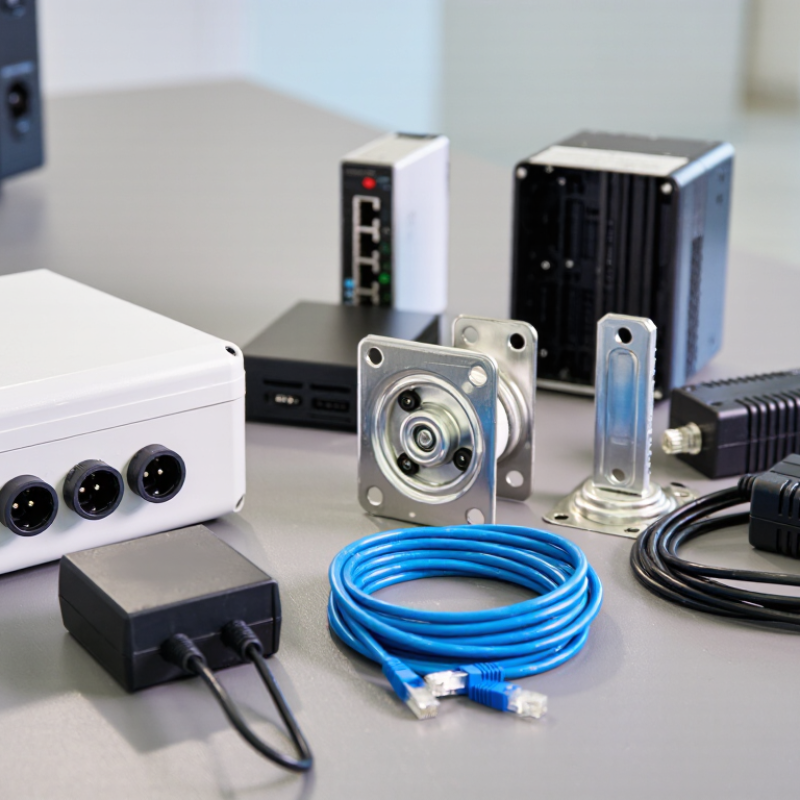
CCTV cameras rarely work well as isolated devices. The right accessories support clear footage, reliable power, and stable coverage. A mounting bracket keeps the camera steady and positions its lens toward the intended area. For outdoor installation, choose a weather-resistant housing and sealed cable connections. Small gaps can let moisture in.
Power accessories matter just as much. A suitable power adapter or network cable with power delivery must match the camera’s requirements. Surge protection can help guard equipment against electrical spikes, especially where cables run outdoors. Check compatibility before buying; similar-looking connectors do not always carry power in the same way.
Storage devices or a compatible recorder preserve footage for later review. Select capacity based on camera count, image quality, and how long recordings need to remain available. A monitor helps with setup, while a network cable supports dependable connections and easier troubleshooting. Lens-cleaning cloths and cable clips seem minor, but they help keep images clear and wiring tidy. In practical installations, poor cable routing can cause more trouble than expected. It is easy to overbuy accessories, though. Match each item to the camera, location, and recording plan.
A CCTV system is only as dependable as its power supply and wiring. Choose a supply that matches the camera’s voltage and provides enough current for night vision and other features. Check the camera’s specifications rather than guessing. A unit that works during daylight may become unstable when infrared lights switch on.
Cable length matters. Longer runs can cause voltage drop, especially with thin conductors. Use a suitable cable gauge and keep runs away from sources of electrical interference where practical. Match connectors to the camera and cable type, and use weather-resistant fittings outdoors. Even a careful plan can miss one loose connector; a small detail, but it can interrupt the whole feed. Leave a gentle cable loop near outdoor connections so rain does not run directly into them.
Tips: Label both ends of each cable before installation. Test the camera under its expected load, including at night, and check connectors after routing. A tidy setup helps, but it is not proof of reliability. Verify it in real conditions.
Mounting hardware and weatherproofing should match the camera’s location, not just its weight. On brick or concrete, use suitable anchors and check that the bracket sits flat. On a pole, a rated clamp helps resist movement in wind. I have seen a small bracket shift enough to change a useful view. It is easy to overlook.
Outdoor fittings need protection from rain, dust, and temperature changes. Check the camera’s environmental rating, then protect cable entries with compatible glands and sealed junction boxes. A drip loop below the entry point can guide water away from the connection. Small detail. In exposed locations, corrosion-resistant fasteners can reduce rust, though they still need inspection. Sealing every opening too tightly may also trap moisture inside; ventilation and drainage guidance from the equipment maker matter.
Indoors, the demands differ. A ceiling mount may need a secure fixing above a suspended tile, while a wall mount should allow access for cleaning and adjustment. For coastal or frequently washed areas, inspect seals and hardware more often. I would not assume a weatherproof label means maintenance-free. Check for loose screws, cracked seals, and water marks after severe weather, and replace worn parts before they affect the camera’s position or connection.
Storage and network accessories determine whether CCTV footage stays available and cameras remain connected. Estimate storage from camera count, resolution, frame rate, and retention period. Continuous recording uses more space than motion-triggered recording, but busy scenes can produce more footage than expected. Check the recorder’s supported drive type and maximum capacity before buying. Small details matter. A surveillance-rated hard drive is designed for sustained recording workloads. A memory card can provide local backup on compatible cameras, though it should not replace the main recording system.
For connectivity, a PoE switch can carry power and data over one Ethernet cable. Check its total power budget, not just the number of ports. Add the cameras’ power needs together and leave some spare capacity. Cable length, quality, and outdoor exposure also affect reliability; use suitable Ethernet cable and protected connectors where needed. A UPS can keep the recorder and network equipment running through brief power interruptions. It cannot fix an overloaded switch.
I have seen storage estimates miss the mark when motion levels change after installation. Review actual recording use after the first week, then adjust retention or capacity if needed. Test playback from each camera and check network traffic during busy periods. A simple network diagram helps when a connection fails, though people often forget to update it.
| Accessory | Main Purpose | Typical Specifications | Selection Considerations |
|---|---|---|---|
| Surveillance-rated hard drive | Stores continuous or event-based video inside a compatible recorder. | Typically 3.5-inch SATA; capacities commonly range from 2 TB to 20 TB or more. | Check recorder compatibility, supported drive capacity, camera count, retention target, and workload rating. Estimate storage using camera bitrate, recording hours, and days retained. |
| Network video recorder (NVR) | Records and manages video from IP cameras over a network. | Available with different channel counts, network ports, supported resolutions, and internal drive bays. | Match the number of channels and incoming bandwidth to the cameras. Confirm drive-bay capacity, recording features, and compatibility with the camera system. |
| PoE network switch | Connects IP cameras to the network and supplies power over Ethernet. | Common options include 1 Gb/s ports and PoE standards such as IEEE 802.3af and 802.3at. | Check each camera’s power requirement, the switch’s total PoE power budget, port count, and uplink capacity. Leave headroom for future cameras. |
| PoE injector | Adds power to an Ethernet connection when a PoE switch is not available. | Available for different PoE standards and power levels; typically uses one data input and one powered output. | Choose an injector that matches the camera’s PoE standard and power draw. It powers a connection but does not replace a network switch when multiple cameras are needed. |
| Ethernet cable | Carries network data and, when supported, power between cameras, switches, and recorders. | Cat 5e and Cat 6 copper cabling are commonly used; a standard Ethernet channel is limited to 100 m (328 ft). | Use suitable solid-copper cable for permanent runs and connectors rated for the installation environment. Avoid exceeding the channel-length limit without an extension solution. |
| Fiber-optic cable and transceivers | Provides network links over longer distances or between buildings, with electrical isolation. | Single-mode and multimode fiber are common; the transceiver type must match the fiber and network equipment. | Confirm distance, fiber type, connector, and transceiver compatibility. Fiber does not carry PoE, so cameras need a separate power source or a remote PoE switch. |
| Uninterruptible power supply (UPS) | Keeps the recorder, network equipment, and sometimes cameras running during short power interruptions. | Rated by volt-amperes (VA) and watts; backup time depends on the connected load and battery condition. | Size it for the total load and desired runtime. Connect essential recording and networking equipment, and verify that the UPS provides suitable outlets and monitoring features. |
| Surge protector | Helps protect power or network equipment from transient voltage surges. | Available for AC power lines and Ethernet connections; protection ratings vary by device. | Select protection appropriate to the line and installation. For outdoor or inter-building runs, consider grounding and professionally installed protection at cable entry points. |
| Patch panel and patch leads | Organizes and labels structured network cabling in a rack or cabinet. | Patch panels commonly use 24 or 48 ports; short patch leads connect the panel to switches. | Match the panel category to the installed cabling, label both ends of each run, and keep cable routing accessible for maintenance. |
A useful CCTV setup depends on more than cameras. A clear monitor lets you check entrances, loading areas, and hallways without squinting at tiny images. Choose a screen size that suits the viewing distance; a large display can still feel cramped when several camera feeds share it. A mouse or control keypad makes it easier to switch views, zoom, and review recorded footage. Small details matter. Keep the controls near the operator’s normal workspace, but away from drinks, dust, and casual bumps.
Reliable connections also support everyday monitoring. Use suitable video and network cables, label both ends, and leave enough slack for careful servicing. A surge protector can help guard connected equipment from voltage spikes, while a battery backup may keep recording and viewing available during a brief outage. Check the system’s power limits before connecting accessories. An audio accessory can be useful where sound monitoring is appropriate, but it should be configured thoughtfully and only where permitted. A tidy installation is not automatically a usable one; controls mounted too high or screens facing glare can cause daily frustration. Check the setup at different times of day, because sunlight shifts. Keep it reachable.