How to Choose the Best Cat5 Extender for Your Needs?
A Cat5 Extender can solve a practical problem: carrying a network connection beyond a cable run that cannot reach the required room. The detail matters. A standard copper Ethernet channel is limited to 100 meters, including patch cords, under ANSI/TIA cabling guidance. IEEE 802.3 defines the Ethernet link requirements, but an extender’s actual reach depends on its technology, cable condition, data rate, and power needs. Check those limits before buying.
Industry reports can provide useful context, but broad Ethernet-market figures do not prove that one extender will suit a particular installation. A better starting point is the product’s verified datasheet and the cabling standards. Look for supported cable type, maximum distance, throughput, latency, PoE compatibility, and environmental rating. A long cable in a warm utility closet may behave differently from a short, clean run on a desk. Small details count.
Choosing well takes a little measurement. Note the distance, inspect the existing cable, and identify the devices at both ends. Then compare those facts with the manufacturer’s test conditions. I can’t responsibly attribute a direct quotation to a named Cat5 Extender industry expert without a verifiable source, and no reference articles were provided. That gap matters. A trustworthy guide should not invent expert endorsements or report statistics; it should help you match the extender to the real cable path.
Understand What a Cat5 Extender Does
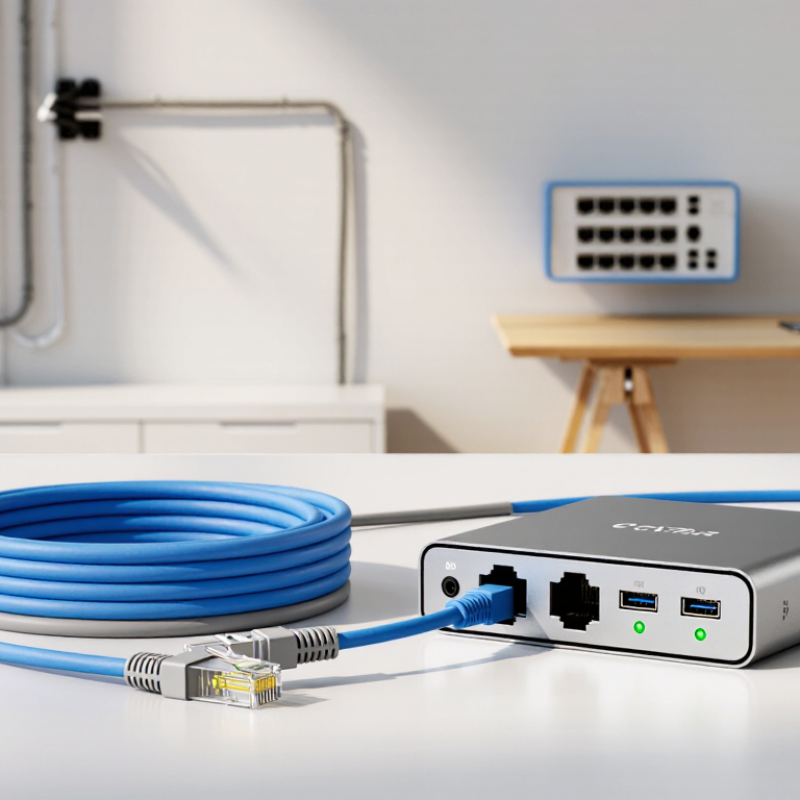
A Cat5 extender carries network data across a longer distance than a standard Ethernet cable run can reliably support. The term often refers to a pair of devices: one connects near the router or switch, and the other sits beside the remote device. They use existing Cat5 or Cat5e cabling as the link between them. Depending on the design, the units may regenerate the signal or use a different transmission method. A typical Ethernet cable segment is limited to about 100 metres. An extender can go beyond that, but the supported distance and speed vary by model and cable condition.
It is not simply a coupler. Joining two long cables can leave the connection unreliable, especially if the total run exceeds Ethernet’s normal limits. Not magic. Check whether the extender needs power at one or both ends, and confirm that its data rate suits your devices. For example, a camera in a garage may need a steady connection more than maximum speed, while a workstation may not. Cable quality, electrical interference, and connectors all affect results. The naming can be confusing, so check whether a product extends Ethernet over Cat5 cable or extends another signal using Cat5 as its medium. That distinction is easy to miss.
Assess Your Distance, Speed, and Device Requirements
Start with the cable route, not the product box. Measure the actual path, including vertical runs and slack around corners. IEEE 802.3ab specifies 1000BASE-T operation over up to 100 meters of Category 5e cabling. That’s a useful baseline, not a promise that every older Cat5 run will deliver gigabit speeds. Beyond standard Ethernet limits, an extender may help, but throughput depends on its technology, cable condition, and electrical noise. Old splices matter. A cable tucked above a warm ceiling may perform differently from a clean, uninterrupted run. I still check the cable before blaming the extender.
Then match the extender to the devices at the far end. A security camera may need modest bandwidth and Power over Ethernet, while a desktop transferring large files benefits from a faster, stable link. Check each port’s supported speed, PoE output, and whether the stated distance applies to your cable type. The Telecommunications Industry Association’s TIA-568.2-D standard provides structured cabling guidance; use it alongside the extender’s specifications. For several devices, estimate their combined peak traffic rather than adding only their advertised average speeds. Cisco’s Annual Internet Report forecast 3.6 networked devices and connections per person globally by 2023, a reminder that endpoint counts can grow quickly. That forecast is not a household sizing rule, though. Leave some capacity for future devices, and verify performance after installation with the actual equipment.
Compare Extender Types and Compatibility
How to Choose the Best Cat5 Extender for Your Needs?
Compare Extender Types and Compatibility
Start by identifying what the extender actually does. A passive coupler joins two cables but does not regenerate a weakening signal. An active repeater receives and retransmits Ethernet, while paired long-reach extenders can carry data over existing copper pairs. PoE extenders also pass power, but their usable distance depends on cable quality and the power drawn by connected devices. Not the same thing.
Match the device to the cable category, speed, and wiring already installed. IEEE 802.3 and ANSI/TIA-568.2-D specify a 100-meter channel limit for common balanced-copper Ethernet links, including patch cords. That is a useful baseline, not a promise that every Cat5 run will deliver the same performance. Cat5 may suit older, lower-speed links; for gigabit service, verify the extender’s stated category and confirm that the entire cable path meets its requirements. Check the fine print.
Before buying, look for supported data rates, pair requirements, PoE capacity, and maximum distance at the speed you need. A device rated for a long run may support that reach only at a reduced rate. Check whether its distance figure includes patch cables, then test the installed link under load if reliability matters. A tidy cable bundle beside power wiring can still cause trouble. I would not assume that matching plugs means matching performance.
How to Choose the Best Cat5 Extender for Your Needs?
Compare the Ethernet speed and cable type your extender must support. These standard channel-length limits help you check compatibility before extending a link.
Maximum channel length: 100 m for 100BASE-TX over Cat5 and 1000BASE-T over Cat5e; 10GBASE-T reaches up to 55 m on Cat6 and 100 m on Cat6A. Actual performance depends on installation quality and equipment specifications. Check the extender’s supported speed, cable type, and power requirements (if using PoE) before buying.
Check Installation, Power, and Environmental Needs
A Cat5 extender is only useful when it suits the cable route and equipment at both ends. Measure the actual path, including turns through ceilings or cabinets, rather than estimating from a floor plan. Check the extender’s stated distance, supported data rate, and cable requirements; performance can vary with cable quality and nearby electrical noise. Confirm that its connectors match your existing setup. A small mismatch can mean extra adapters or a slower link.
Power and surroundings deserve equal attention. Some units need a local power adapter, while others draw power through compatible equipment. Check the required voltage and power budget before installation, especially if several devices share one source. For a warm attic, damp utility room, or outdoor cabinet, compare the operating temperature and enclosure rating with real conditions. I once treated a sheltered porch as an indoor space; seasonal heat made that assumption less convincing. Keep connections dry, allow airflow, and follow the product’s guidance for grounding or surge protection.
Tips: Label both cable ends before routing them. Test the link with the intended devices, then secure the cable without sharp bends. If the run crosses a noisy area, try a different route. It may take one extra check, but that is better than guessing.
Choose and Verify the Right Cat5 Extender for Your Setup
Choosing a Cat5 extender starts with the cable path, not the product label. IEEE 802.3 copper Ethernet channel limits are generally 100 meters, while TIA-568.2-D defines a 90-meter permanent link plus patch cords. Measure the full route, including wall runs and short desk leads. A few extra meters can matter.
Check the extender’s stated distance at your required data rate; maximum range often falls as speed rises. Confirm both ends use compatible signaling, power, and connectors. For PoE, verify the extender supports the needed power budget across the whole link. Then inspect the cable for kinks, damaged plugs, and mixed cable types. A tester that reports only continuity may miss performance faults. Use a cable certifier where possible, and record wire map, length, and category results. Small detail, big difference.
Test the installed setup under real traffic. Confirm the negotiated link speed, then check for packet loss and unstable connections over several hours. IEEE 802.3 sets Ethernet requirements; it does not guarantee every extender-and-cable combination will behave alike. I would not trust a “works on my desk” test alone. Long routes, electrical noise, and tight bends can change results. Keep the test notes; they make later troubleshooting less guesswork.