7 Laser CNC Machine Buying Tips for Global Buyers
Buying a laser cnc machine for international production involves more than comparing wattage and quoted prices. The right choice depends on materials, daily workload, cut quality, and support after delivery. A machine that handles thin acrylic well may struggle with thick metal or long production shifts. Small details matter. Bed dimensions, motion accuracy, controller compatibility, and extraction needs should match the actual workshop. Power supply, cooling capacity, and available floor space also affect installation and performance.
Global purchasing brings additional questions. Buyers should check shipping protection, setup requirements, documentation, spare-parts access, and the supplier’s response time across time zones. Ask what the machine can process consistently, not only what a brochure lists as its maximum capacity. Request sample results using materials similar to your own, and confirm which software and file formats are supported. A polished quotation is not proof of dependable output. Specifications can look convincing on paper, yet real production may reveal limits that were easy to miss. That uncertainty deserves attention.
The seven buying tips in this guide offer a practical way to compare machines and suppliers. They cover application fit, core components, safety features, service, total cost, and verification before purchase. No checklist removes every risk. Still, clear questions and realistic production tests can prevent costly mismatches and help global buyers choose equipment suited to their workshop.
Define Your Production Needs and Laser CNC Applications
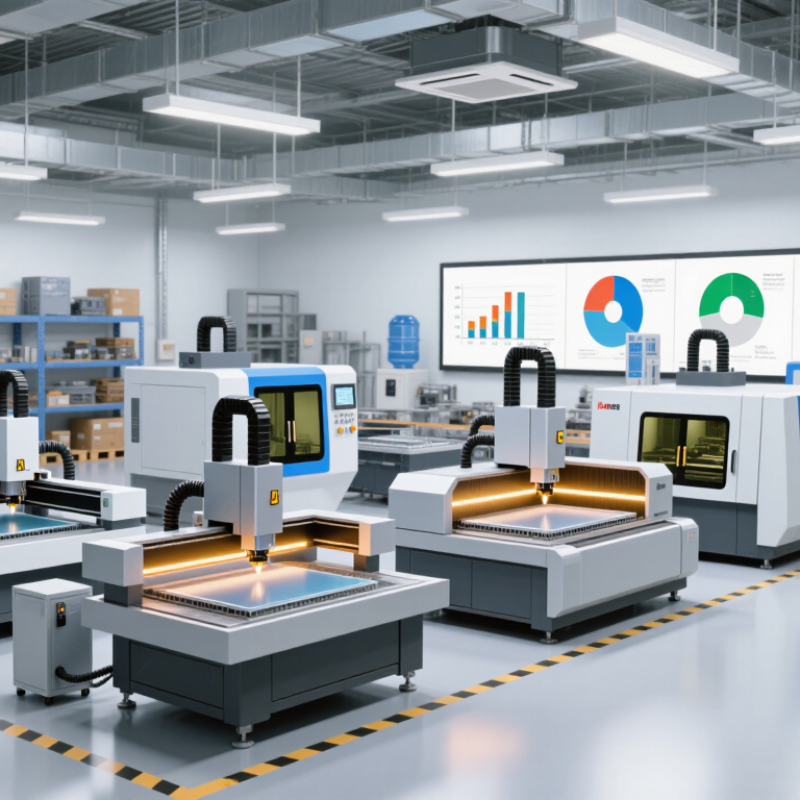
Before comparing laser CNC machines, list the jobs you actually expect them to handle. A shop cutting 3 mm acrylic signs has different needs from one engraving serial numbers on coated metal. Record material types, thickness ranges, part dimensions, and daily order volume. Bring sample files and a physical workpiece to supplier discussions; real edges and surface finishes reveal more than a brochure. Small details matter.
Tips: Track your most common jobs for two weeks. Note setup time, cutting time, and rework. Choose a machine around regular production, not an occasional oversized project. Confirm the usable bed area fits your largest parts, including room for positioning and unloading.
Match the laser source and configuration to the material and process, then verify compatibility with documented specifications. Ask for a sample cut using your own material, especially when edge color, fine text, or repeatable dimensions matter. Check software workflow, ventilation requirements, maintenance access, and operator training before purchase. These affect daily output, too. Be honest about growth plans, but avoid paying for capacity that may sit idle. Forecasts are imperfect; mine have been wrong before. If your applications are still changing, prioritize flexible settings and a clear upgrade path over one impressive specification.
| Tip | Production Need to Define | Relevant Applications | Information to Collect | Buying Implication |
|---|---|---|---|---|
| 1. Identify the material | List every material to be cut or engraved, including its grade, coating, and surface condition. | CO₂ lasers are commonly used for non-metal materials such as wood, acrylic, paper, and some textiles. Fiber lasers are commonly used for metal cutting and marking. Diode systems are generally suited to lighter-duty engraving and marking tasks. | Material name, grade, thickness, coated or uncoated surface, and any known reflectivity or flammability concerns. | Choose a laser source and machine configuration that are compatible with the actual materials. Do not assume one machine will process every material effectively. |
| 2. Set thickness and edge-quality requirements | Define the minimum and maximum material thickness and the acceptable edge finish for each job. | Sheet cutting, plate cutting, acrylic fabrication, wood part production, and engraving. | Thickness range in millimetres, required edge finish, burr limits, heat-affected-area limits, and any post-processing steps. | Cutting capability depends on the laser source and power, material, assist gas, speed, and required quality. Request sample cuts using the intended material and thickness before purchase. |
| 3. Match the working area to the largest job | Determine the largest sheet, panel, or part that must fit on the machine table. | Full-sheet processing, signage, cabinet components, metal panels, and nested part production. | Maximum workpiece length and width, loading method, clearance for fixtures, and whether material is supplied as sheets, rolls, or individual parts. | Compare the usable working area—not only the machine's external dimensions—with the actual job size. Sheet formats such as 1,250 × 2,500 mm and 1,500 × 3,000 mm are used in some markets, but availability varies by region and supplier. |
| 4. Calculate required output | Translate customer demand into a realistic production rate for each part or product family. | Repeat production, short-run custom work, job-shop cutting, and batch engraving. | Parts required per shift, available production time, changeover time, loading and unloading time, and expected downtime. | Use required output and available production time to estimate the needed cycle time. Compare completed-part test runs rather than relying only on a machine's maximum travel speed. |
| 5. Review part geometry and nesting | Assess part size, shape, hole details, cut length, and how efficiently parts can be arranged on a sheet. | Profiles, brackets, panels, decorative components, labels, and multi-part sheet jobs. | Representative CAD or vector files, sheet size, expected material utilisation, and the number of different part designs in a typical job. | Ask for a test nest using representative files. Complex geometry, frequent design changes, and small parts can affect programming, handling, and actual production time. |
| 6. Specify dimensional accuracy and repeatability | Define the tolerances and consistency required across parts and production batches. | Assembly components, precision panels, fitted parts, and repeat orders. | Drawing tolerances, critical dimensions, acceptable variation, kerf compensation needs, and inspection method. | Verify accuracy and repeatability with measured sample parts made from the intended material. Results can vary with material, thickness, machine setup, and process parameters. |
| 7. Check utilities, safety, and ongoing operation | Confirm that the facility can support the machine and its required operating conditions. | Any laser cutting or engraving installation, from a small workshop to a production floor. | Available electrical supply, extraction and filtration needs, assist-gas supply if applicable, cooling requirements, floor space, operator training, and local safety rules. | Include installation, ventilation, consumables, maintenance access, training, and local service availability in the total ownership plan. Follow applicable laser-safety and workplace requirements. |
Related Posts
-
Top Laser CNC Machine Manufacturers Worldwide?
-
Unlocking Precision: The Future of Manufacturing with Laser Metal Cutting Machines
-
How to Choose the Best CNC Laser Cutting Machine for Your Needs?
-
What Are the Top 10 Laser Cutter Manufacturers in China?
-

Essential Checklist for Optimizing Your Fiber Laser Cutting Machine Performance
-
How to Maximize Efficiency with Fiber Laser Cutting Machines